

















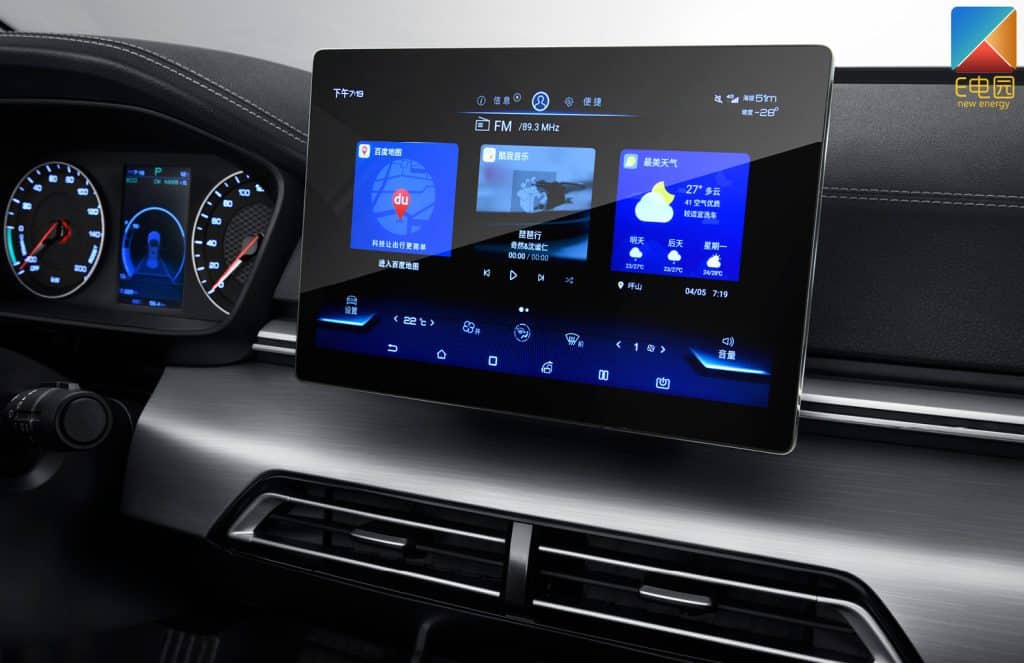
There are three common ways to identify your head unit's model and version: ① rear label on the device, ② text printed on the motherboard, و ③ checking the system info in settings. This guide will walk you through all major brands like Topway, XY-AUTO, FYT, NWD, HC-MTK step by step.
Before purchasing any firmware, UI themes, or voice control features, make sure you know your Android version, MCU version, و compatible product line. Use the logos below to jump to each brand’s dedicated guide.
Not sure which system your car uses? Use this guide to quickly find your model and unlock compatible upgrades like voice control, UI themes, and feature apps.

Topway Motherboard (Factory password: 123456)
▶ System Info Path: Settings → About → System Info
▶ Factory Setting: Settings → Factory → Enter Password
✨ Version Example: TSXX/TX 0.X.0-XX-10-AXXXXXXX
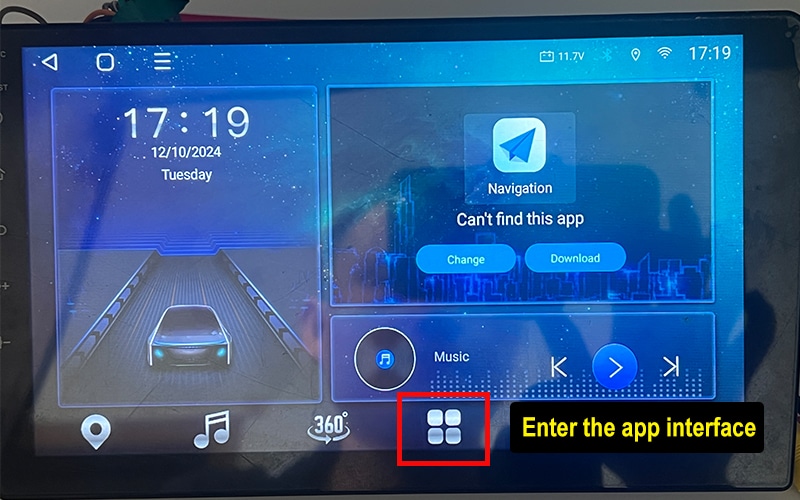
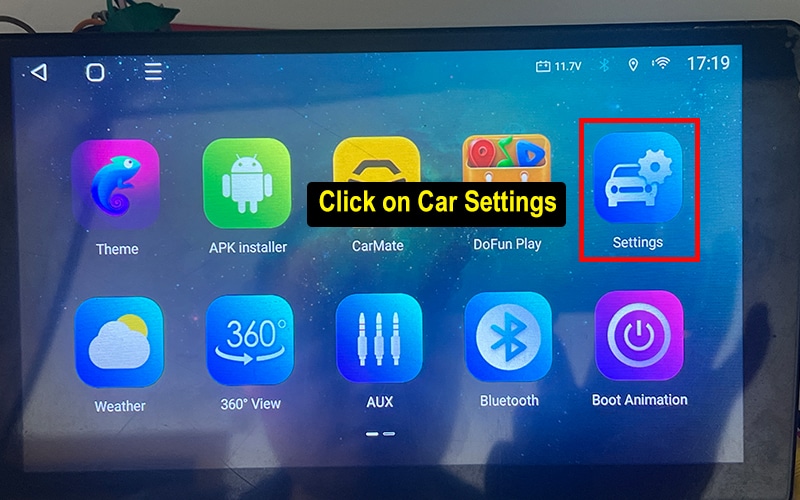
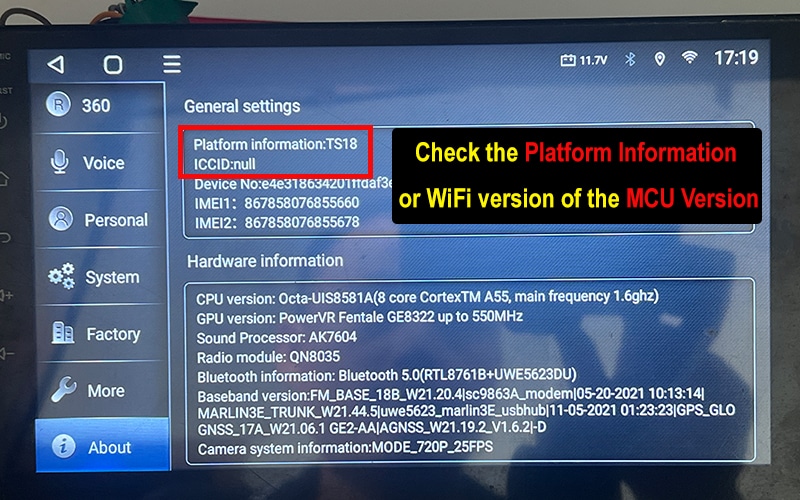

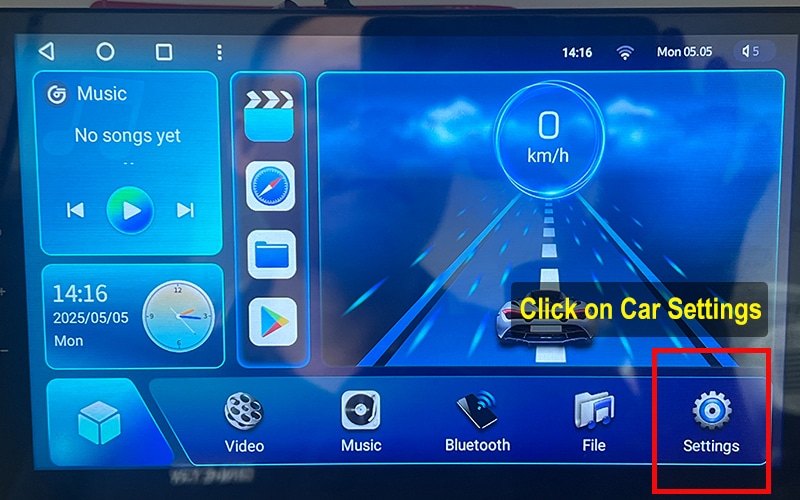
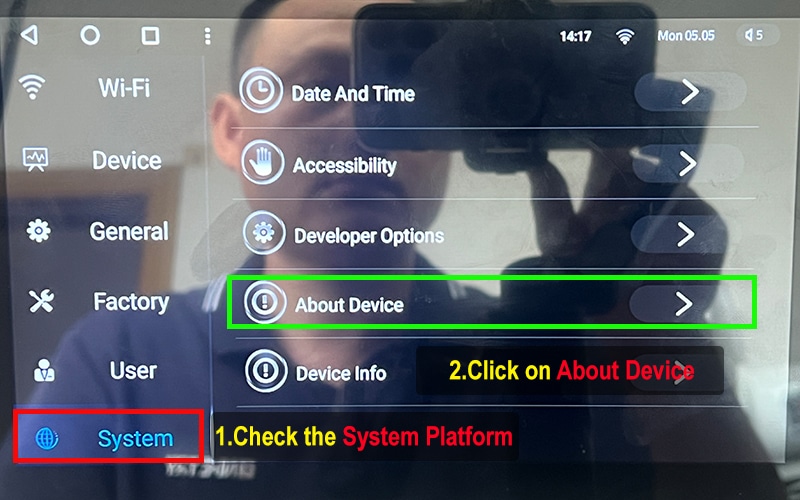
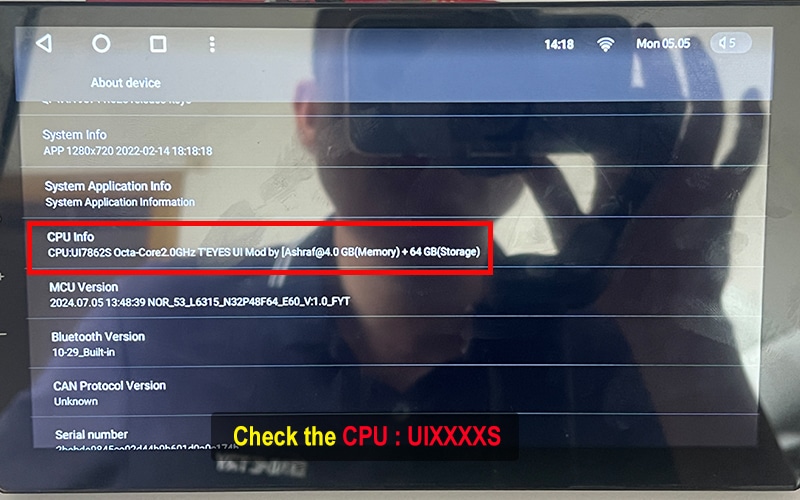
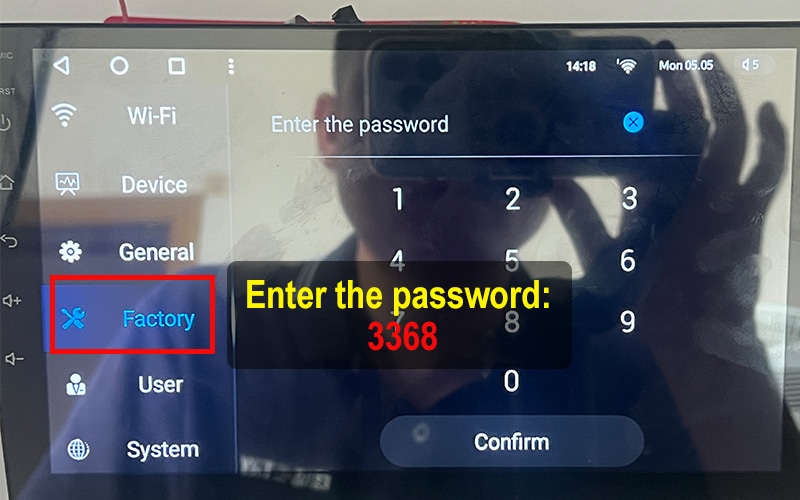
FYT Motherboard (Factory password: 3368)
▶ System Info Path: Settings → System → About Device → CPU Version
▶ Factory Setting: Settings → Factory → Enter Password
✨ Version Example: UIXXXXS Octa-Core
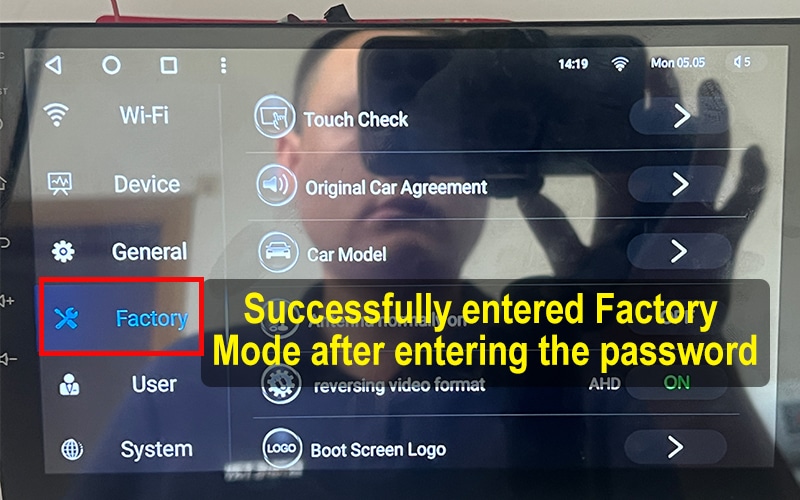

NWD Motherboard (Factory password: 1617)
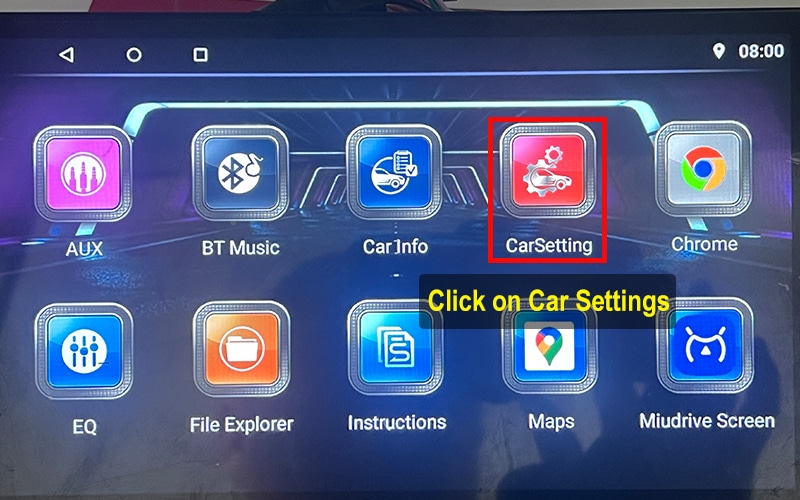
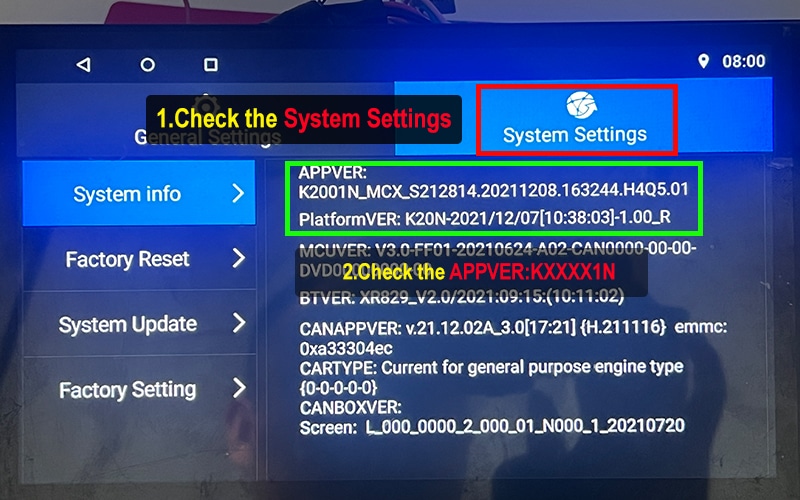
▶ System Info Path: Settings → System Setting → AppVer
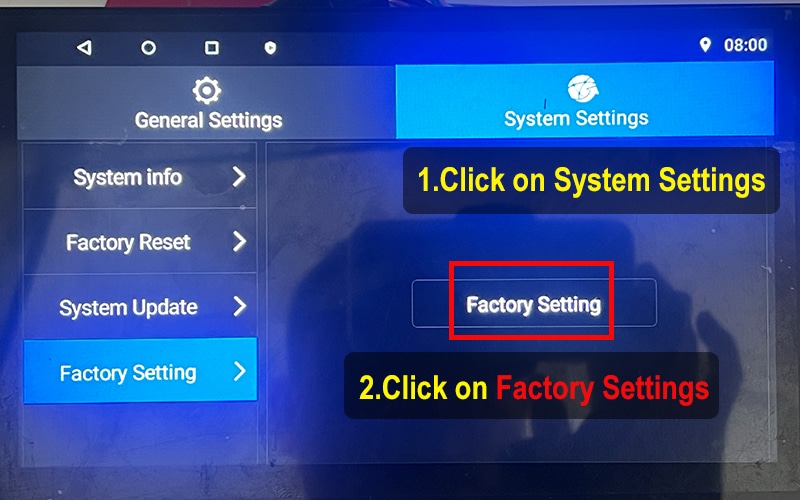
▶ Factory Setting: System Setting → Factory Setting → Enter Password
✨ Version Example: KXXXN
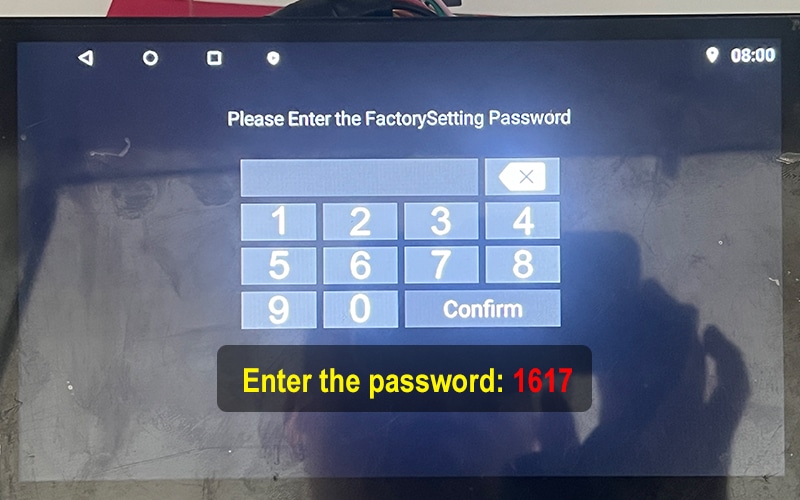
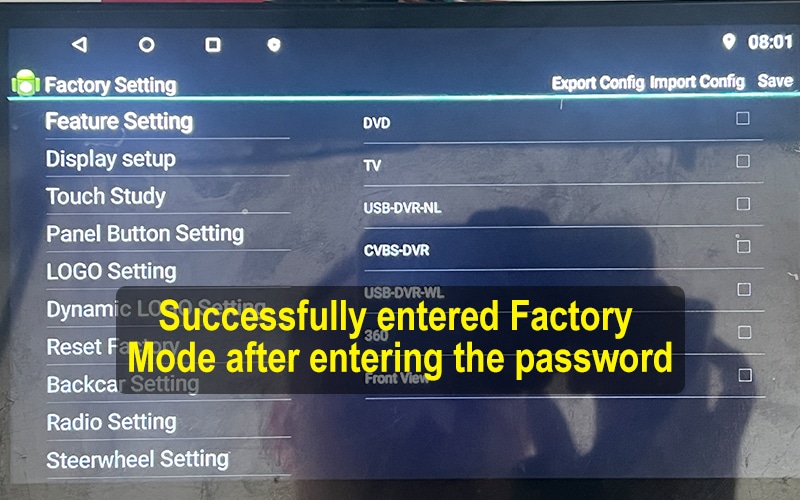

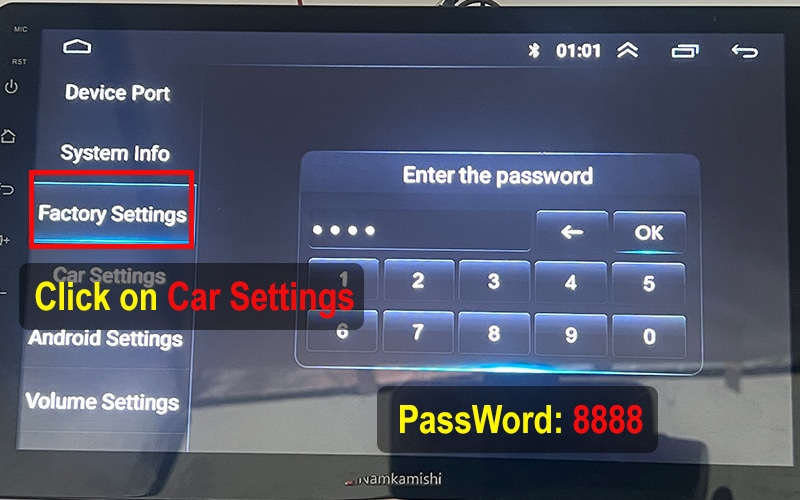
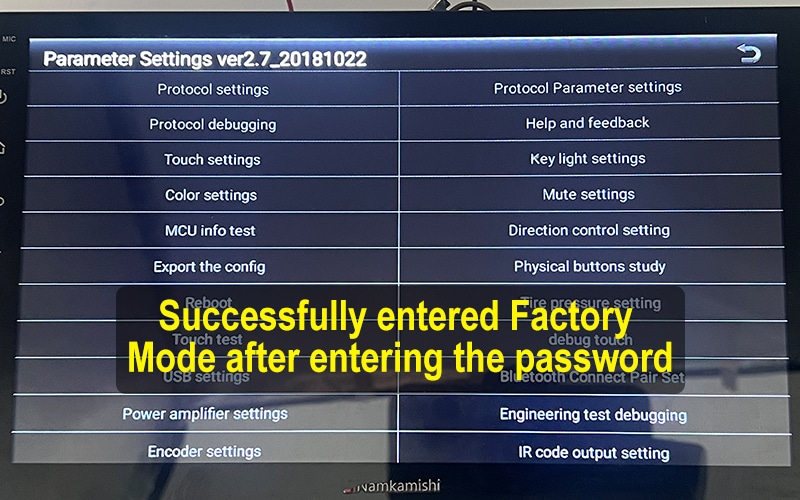
XY-AUTO Motherboard (Factory password: 8888)
▶ System Info Path: Settings → System Info → Android Version
▶ Factory Setting: Settings → Factory → Enter Password
✨ Version Example: 9XXXA/B/C_XXXX.XX_XXXX
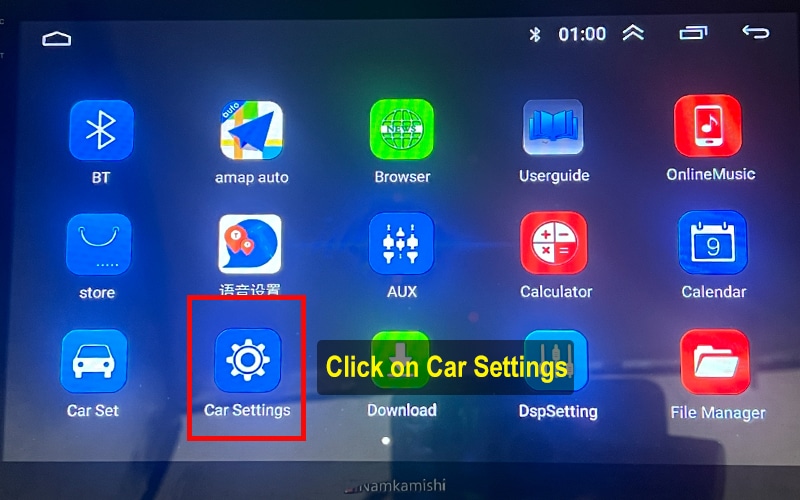
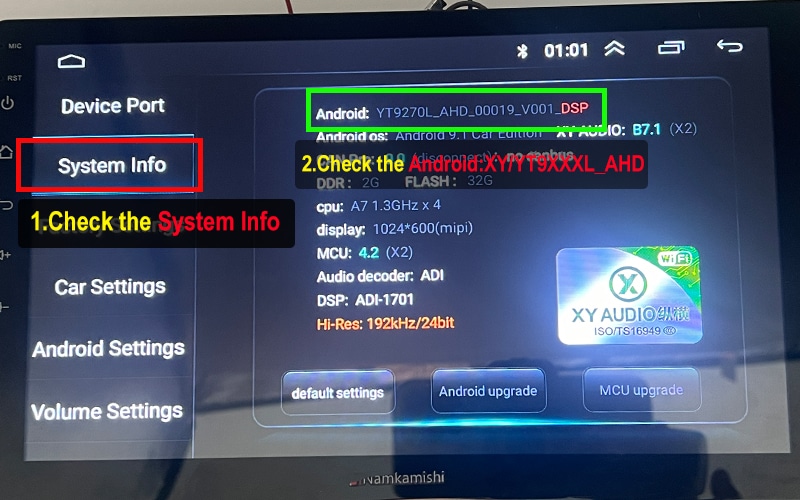

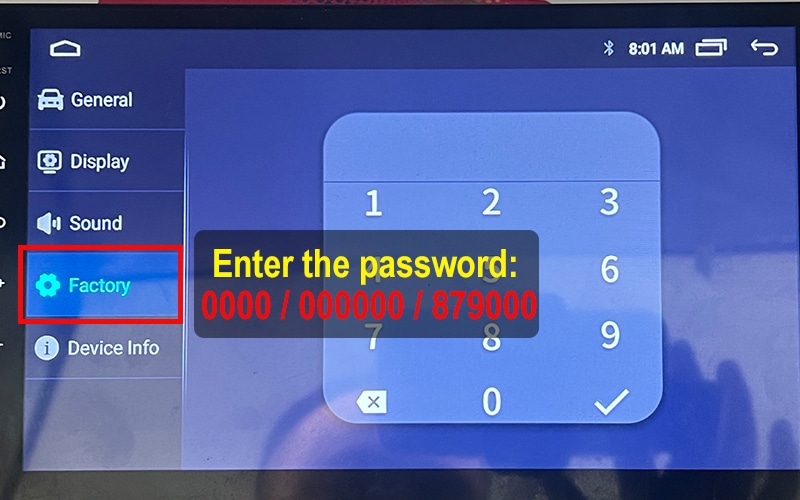
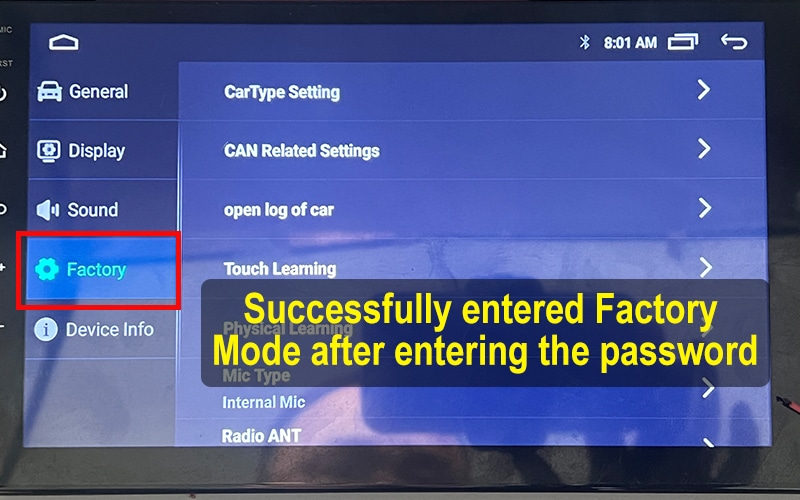
HC / MTK Motherboard (Factory password: 0000 / 000000 / 879000)
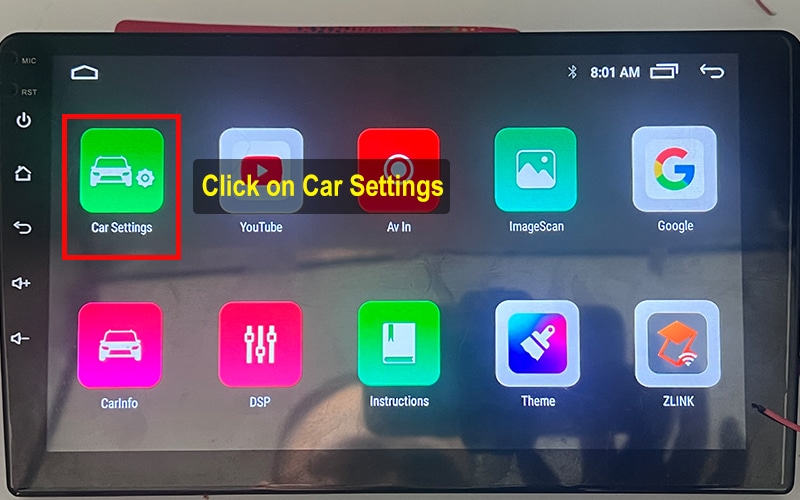
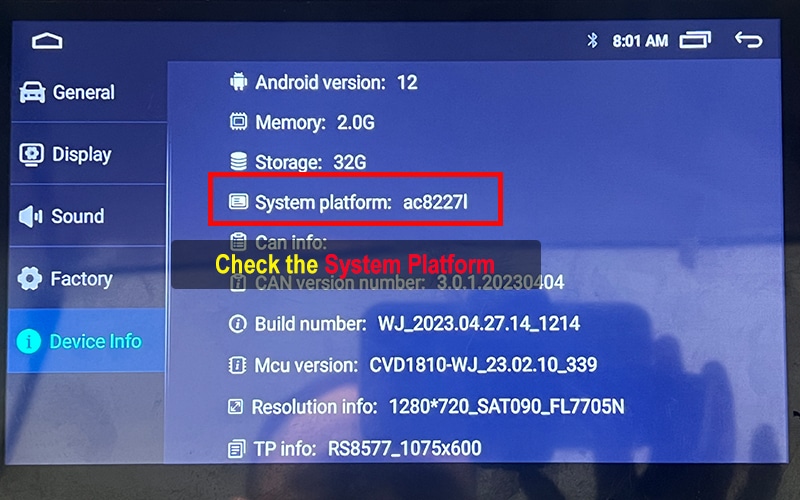
▶ System Info Path: Settings → About Device → Android
▶ Factory Setting: Settings → Factory → Enter Password
✨ Version Example: AC8XXXL / AC8XXX

2 thoughts on “How to Check Your Android Car System Version Before Upgrading”
ive been trying to get my download apk i have sent you picks of my system and havent got anything i dont use whats app and do not want it on my phone i do want my files i have a FYT Motherboard
hi,cheack your email.