

















چاککردن و پاککردنەوەی تاچسکرینی ئۆتۆمبێلتان: ڕێنمایی تەواوی چاککردن و پاراستن بۆ 2025
ئایا تاچسکرینی ئۆتۆمبێلت دەستپێکردووە بە هەڵەکردن، لەخواربوون، یان تەواو وەڵام نەدان؟ ئەگەر تۆ لە قەدەی پەنجەی چەور، شیشەی شکاو، یان touch-ە شیاوەکان دەچەرخێیت، تەنیا نیت.
پێویستت بە head unit ـێکی نوێیە یان دەتەوێت باشتر بکەیت؟
لە iKagoo ـەوە Android car head units ـی کۆتا-پۆل بکڕە
یان بدۆزەوە modelên arzan li CarMP5.com.
- Çima Touchscreen dilê dashboarda nûjen e
- Têkçûnên Tîpa Touchscreenê yên Gelemperî û Çawa wan nas bikin
- Pirsgirêkên Nermalavê li dijî Pirsgirêkên Sazberê: Çawa Cudahiyê Dîtin
- Çawa Touchscreena Stereo-ya Carê ya Android-a xwe biguherînin: Rêbernameyek Qadam-bi-Qadam
- Parastina piştî firotinê: Touchscreena nû ya xwe wek profesyonelan biparêzin
- Pirsên Pir Tên Pirsîn
- Ji bo çi FixMyDash hilbijêrin?
Çima Touchscreen dilê dashboarda nûjen e
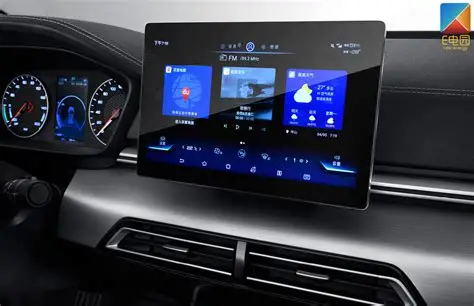
Wahîya nûjen—ji marqeyên premium wek BMW, Mercedes, û Audi heta modelên giştî wek Ford, Toyota, û Honda—her ku diçe zêdetir bi ekranên navendî yên touchê ve girêdayî ne. Ev antîrface ne tenê medya û navîgasyon kontrol dikin, lê her wiha şertê hewayê, mîhengên pergalê, şopên kameraya paş, û heta dîagnostîka wesayîtê jî. Dema ku ekrana touchê têk diçe, hûn ê ne tenê muzîkê winda bikin—hûn bi tevahî gihîştina navrûya dîjîtal a wesayîtê xwe jî winda dikin.
Li dijî ekranên resistive ên ku di pergalên navîgasyonê yên seretayî de têne bikar anîn, yekeyên îroyîn bi capacitive multi-touch digitizersre têne meşandin—wek smartphonean, lê bi toleransên voltajê û layoutên fizîkî yên cûda. Ev jî tê wê maneya ku ew li hember xeraşiya fizîkî, nem, kîmyewiyên paqijkirinê, û germahiya bilind zêdetir hestiyar in.
Têkçûnên Tîpa Touchscreenê yên Gelemperî û Çawa wan nas bikin
1. Touch Nayê Bersivdan
Ev bi dûrîtirîn pirsgirêka herî zêde hatî ragihandin e. Hûn li ekranê dixwinin—û tu tişt qewimîne. Carinan tevahiya panelê nayê bersivdan; carên din, tenê hin deveran rawestîna tespîtkirina têketinê dikin. Ev dikare ji van sedeman be:
- Zedebûna fizîkî li qata digitizer
- Kabloya ribbon a navê yekeyê şilbûyî
- Ekrana qirêj an rûnî ku li hestiyariyê têk dibe
- Qutbûna nermalavê (astê UI qetiyane)
Şîreta Dîagnostîkê: هەوڵ بدە rebootێکی زۆر توند بکەیت (power + volume down بگرە بۆ 10 چرکە). ئەگەر reboot کارکردن بگەڕێنێتەوە، ئەوا بە زۆری ڕەنگە hangی software بێت. ئەگەر نا، پێویستە پشکنینی hardware بکرێت.
2. Ghost Touch یان Phantom Inputs
ئایا بینیوەت شاشەکەت وەک ئەوە کار دەکات کە بە شێوەیەکی هەڕەمەکی دەست لێدەکرێت—بێ ئەوەی کەسێک لێ نزیک بێت؟ ئەم کێشەی “ghost touch” زۆرجار لە هۆی ئەمانەوە دەبێت:
- نم بێنراو لەژێر چینە شیشەکە
- جیا بوونەوەی نێوان digitizer و LCD
- تێکدانی electromagnetic لەلایەن پێکهاتەکانی ترەوە
- screen ـە گەرمکراوەکان لە کاتی وەستاندنی هاوین
لە حاڵەتە سەختەکاندا، یەکەکە دەست دەکات بە پەیوەندی کردن بە پەیوەندیداران یان گۆڕینی track ـەکانی مۆسیقا بە خۆکاری.
3. Screen ـە شکاندوو یان وێرانبووەکان
شیشەی شکاندوو زۆرجار بە ئاشکرا دیارە—بەڵام تەنانەت ترقەی بچووکیش دەتوانن دقەتی touch پچڕێنن. هەندێک ترقەی مویی کاریگەری لەسەر display نابن بەڵام بەشەکانی screen ناچار ناکەن وەڵام بدەن یان کاریگەرییەکانی “dragging touch” دروست دەکەن.
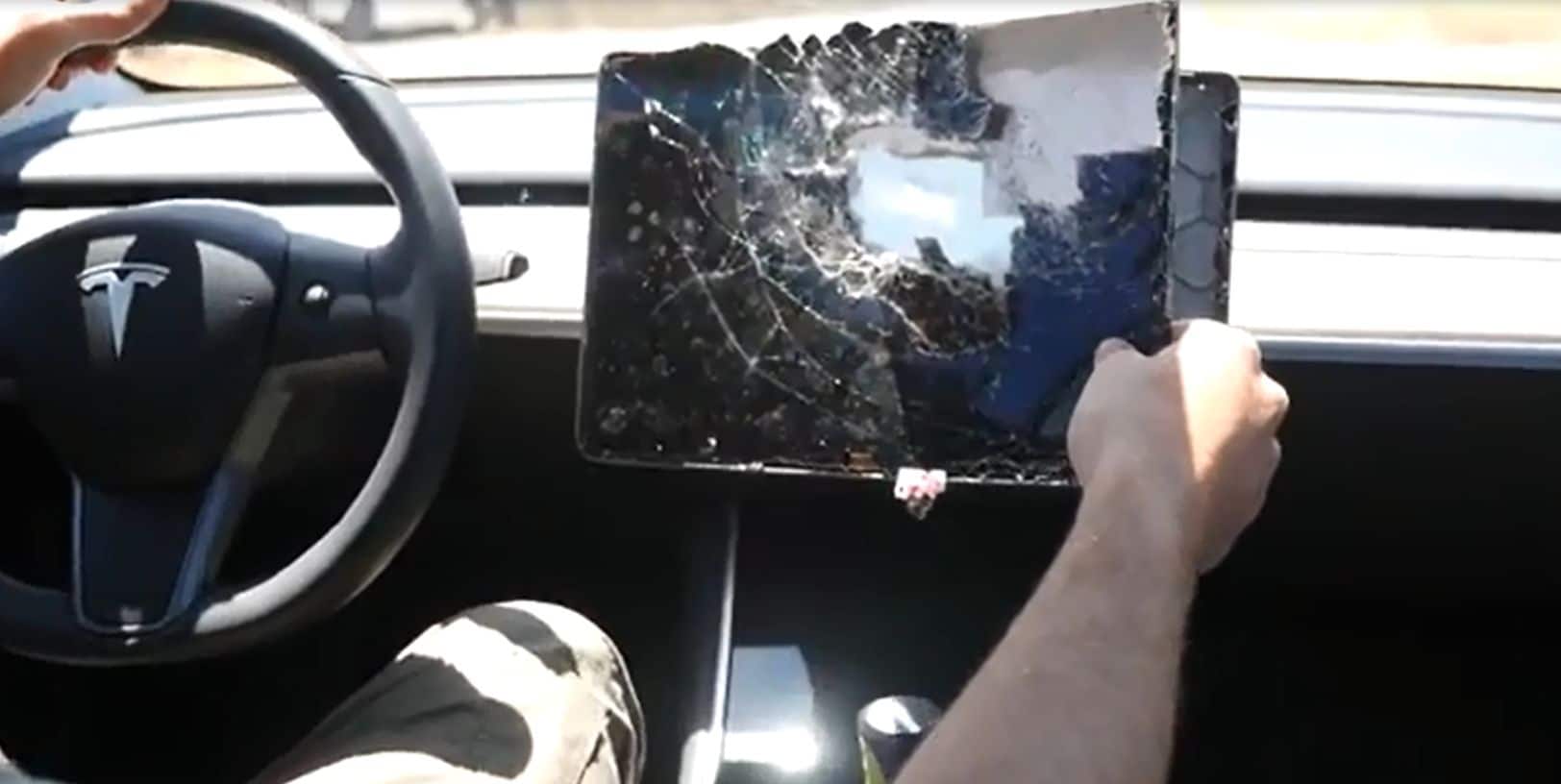
گرنگ: زۆرترین touchscreens ـەکانی ئۆتۆمبێل بە LCD ـەوە bonded نەکراون—لەبەر ئەوە دەتوانیت تەنیا چینە سەرەوەکە (digitizer) بگۆڕیت لە جیاتی هەموو یەکەکە، و بەم شێوەیە سەدان دۆلار پاشەکەوت بکەیت.
4. Screen Flicker یان Black Zones
ئەگەر ekranekê te dema ajotinê li ser çûxan bilind dibe an jî şopên reş nîşan dide, dibe ku ev pirsgirêk ji konektorek an jî têkçûna LCD-ê be. Lê berî ku wê mirî îlan bikin, kontrol bikin:
- Ma kablo bi rêkûpêk hatine danîn?
- Ma yekîne ketibû nav nem û an jî rûtuba bilind?
- Ma otomobîl ji bo demeke dirêj di bin tavê de hate rawestandin?
5. Zeviyên Touch yên Nehevhev an Qefilandî
Di vê rewşê de, têketina touch tomar dike—lê di cihê çewt de. Hûn “Music” pê dikin û ew “Settings” vedike. Ev yek nîşan dide ku yan:
- Qatê kalibrasyonê yê nebişopî
- Nakokiyek di navbera digitizer û firmware-ya sistemê de
- Civakî nebaş a guherandina ekranê bi karanîna panela touch ya çewt
Rekalibrasyon li ser head units yên erzan kêmcar hilbijartinek e. Vegerandin bi gelemperî çareseriyê ye.
Pirsgirêkên Nermalavê li dijî Pirsgirêkên Sazberê: Çawa Cudahiyê Dîtin
- Ma vegerandina rebootê bi awayek demkî pirsgirêk çareser dike? → Bi ehtimala mezin pirsgirêk software ye.
- دەستپێدان تەنها دوای ئەوەی ئۆتۆمبێل گەرم دەبێت شکستی دێت؟ → کێشەی هاردوێری هەستیار بە گەرمی یان کابڵ.
- Do the display and backlight still work? → Touch layer only, not LCD.
- Is your unit stuck on boot logo? → Firmware or NAND flash failure, not digitizer-related.
Hard Reset Instructions (General Android Head Units)
- Turn off the ignition completely
- Hold the Power button + Volume Down simultaneously for 10–15 seconds
- Unit should reboot; observe if touch returns temporarily
- If issue persists, proceed with physical inspection or replacement
Still Not Sure? Submit a Diagnosis Request
At FixMyDash, we offer free remote diagnosis for most Android units. Simply send us photos of your screen, describe the issue, and include the car model + head unit version.
📩 Upload Photos & Request DiagnosisÇawa Touchscreena Stereo-ya Carê ya Android-a xwe biguherînin: Rêbernameyek Qadam-bi-Qadam
🧰 Tools and Materials You’ll Need
- Plastic pry tools (to avoid dashboard scratches)
- Small Phillips screwdriver
- Tweezers or spudger for connectors
- Hairdryer or heat gun (optional, for glued screens)
- Antistatic gloves or grounding wrist strap (recommended)
- Your new replacement digitizer (confirmed compatible)
If you don’t have a tool kit, you can find all-in-one disassembly sets online or through Ikagoo (premium) an CarMP5.com (budget).
📦 What Type of Screen Are You Replacing?
- Digitizer only: Glass touch layer (most common)
- Digitizer + LCD combo: More expensive, needed if the display itself is dead or flickering
- Screen size: 7″, 9″, 10.1″, 11.8″, or 13.3″
- Connector type: 6-pin, 10-pin, or 12-pin ribbon
- Board type: FYT, Topway, YF Digital, etc.
🔧 Touchscreen Replacement Instructions
- Power off the vehicle and disconnect the car battery to avoid short-circuiting.
- Remove dashboard trim with plastic tools. Be gentle to avoid damage to clips.
- Unscrew the Android head unit (usually held with 4 screws).
- Disconnect all cables from the back (CANBUS, USB, GPS, power, RCA).
- Place the unit on a soft work surface. Remove the front casing or display bracket using a screwdriver.
- Identify the touchscreen ribbon connector (often a golden flat cable attached to the main board).
- Unlock the ZIF connector and remove the cable. Take your time—these are fragile!
- Gently remove the broken touchscreen. If it’s glued, warm the edges with a hairdryer for 30 seconds.
- Align and install the new digitizer. Make sure it sits perfectly flush with the bezel.
- Reconnect the ribbon, lock the connector, and test the screen before full reassembly.
- Reassemble the head unit and reinsert it into the dash.
- Reconnect your battery, power on, and confirm full touch functionality.
Parastina piştî firotinê: Touchscreena nû ya xwe wek profesyonelan biparêzin
- Apply a screen protector: Use anti-glare or tempered glass protectors to resist scratches and reduce smudging.
- Park smart: Avoid direct sunlight when possible. Use windshield shades in hot climates.
- Keep microfiber cloths in your car: Clean the screen weekly with dry or lightly damp cloths.
- Avoid sharp objects: Fingernails, styluses, or car keys can permanently damage the digitizer.
- Never spray liquids directly: Always apply cleaning fluid to a cloth—not on the screen.
- Check firmware updates: Some ghost touch issues are solved by updating your unit’s OS.
Pirsên Pir Tên Pirsîn
1. Can I replace only the touchscreen and not the whole unit?
Yes, if the LCD and board are functional. You can replace just the digitizer layer.
2. What’s the difference between a digitizer and an LCD?
The digitizer is the touch-sensitive glass layer; the LCD shows images. Most users only need a new digitizer.
3. What size is my touchscreen?
Measure the diagonal of the visible screen area, not including the bezel. Common sizes include 7”, 10.1”, and 11.8”.
4. Do all Android screens use the same connector?
No. Connectors vary by board type and pin count (6, 10, 12, etc.). Always confirm before ordering.
5. Can I clean my screen with alcohol wipes?
No. Alcohol degrades the capacitive coating. Use screen-safe fluid and microfiber only.
6. How do I know if my screen is compatible?
Check the screen sticker, ribbon connector, or send photos to FixMyDash support for help.
7. What causes ghost touches?
Heat, moisture under the screen, or digitizer-LCD separation. Can often be fixed with cleaning, sometimes requires replacement.
8. Do you offer international shipping?
Yes. We ship to the US, Canada, UK, EU, Australia, and most of Asia with tracking and warranty.
9. Can I upgrade my 10.1” screen to 11.8”?
Only if your dashboard and head unit support the size. Some models offer larger bezels with the same internal board.
10. What’s the average lifespan of a car touchscreen?
With proper maintenance, 3–5 years is common. Excessive heat or abuse can reduce this dramatically.
Ji bo çi FixMyDash hilbijêrin?
- ✅ 100+ touchscreen models in stock
- ✅ Free compatibility checks—send photos or car info
- ✅ Worldwide tracked shipping
- ✅ 24-hour technical support response
- ✅ Trusted by thousands of customers globally
